Slipfolio

Mileage tracker for contractors

Track contractor business mileage and receipt records together.

Slipfolio is a manual business mileage tracker for contractors who want trip records, odometer readings, receipt files, and year-end exports in one tax-year workspace—without relying on automatic GPS tracking.

Start free

Vehicle records

Track business driving without losing the receipt context.

Contractor vehicle records often live in a spreadsheet while fuel, parking, and supply receipts live somewhere else. Slipfolio keeps those records close to the same tax-year workflow.

  • Add vehicles used for business work.
  • Log business trips and odometer readings.
  • Calculate business kilometres and yearly usage context.
  • Export mileage records with receipt handoff files.
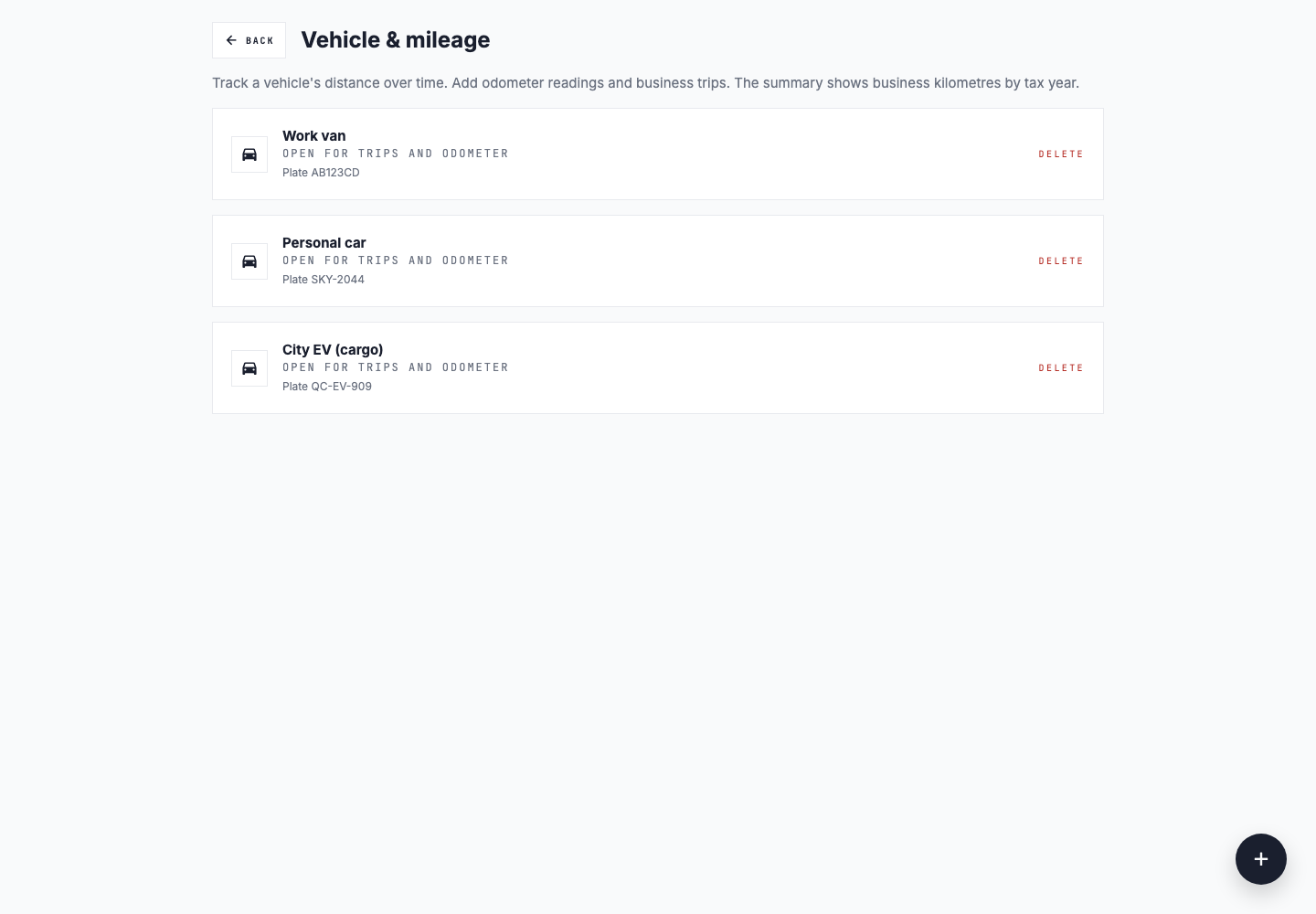
Slipfolio vehicle and mileage screen listing work and personal vehicles for trip and odometer records
Synthetic demo data: keep each vehicle's manual business trips and odometer readings in one workspace.

Manual mileage log

How contractors can keep a consistent business mileage record.

A useful mileage log explains when and why business driving happened, not only the final distance. Record trips while the work is still recognizable, use consistent vehicle information, and review the year before preparing an export. Requirements vary by jurisdiction, so confirm the records you need with the relevant tax authority or a qualified professional.

Add the business vehicle

Keep the vehicle identity and odometer context associated with the trips recorded for that tax year.

Record each business trip

Enter the date, distance, destination or route context, and business purpose while the site visit, delivery, or client work is still fresh.

Keep odometer readings

Add readings consistently so the annual record has supporting vehicle-use context instead of depending on a year-end estimate.

Store related receipts

Keep parking, supplies, and other work receipts in the same tax-year workspace so trip and purchase records can be reviewed together.

Review and export the year

Check incomplete trip details and export mileage records as CSV or PDF alongside the relevant receipt handoff.

Clear expectations

Manual records instead of automatic GPS tracking.

Slipfolio does not automatically detect or record your route in the background. You add business trips and odometer readings yourself, which keeps the workflow focused on reviewed records and avoids implying that an unverified GPS route is complete.

  • Enter trips from desktop or mobile browsers.
  • Review trip purpose and distance before export.
  • Keep vehicle records under the correct workspace.
  • Export the data without depending on a phone sensor history.

Who it helps

Useful for work that happens on the road.

Trades and field service

Keep receipts and vehicle logs organized for site visits, supplies, parking, and business trips.

Consultants and freelancers

Track client-site trips while keeping project receipts ready for review at year end.

Small teams

Use shared workspaces so records stay under the business instead of one person's inbox or phone.

Year-end export

Include mileage in the same handoff as receipt summaries.

When it is time to prepare records, export vehicle and receipt data for the same year. Slipfolio organizes records for professional review; it does not provide tax advice.

  • Vehicle CSV and PDF exports.
  • Receipt CSV, PDF, and ZIP handoff packs.
  • Original receipt files preserved with records.
  • Readiness checks before handoff.

Mileage record details

Track the trip data contractors need before the year-end handoff.

Business trips

Log trips connected to business work so mileage records do not depend on memory at filing time.

Odometer readings

Keep odometer readings with the vehicle record so yearly mileage context is available when exports are prepared.

Receipt records nearby

Fuel, parking, supplies, and client-site receipts can stay in the same workspace as the mileage tracker instead of a separate folder.

Contractor workflow

Keep mileage records close to the receipts that explain the work.

Mileage records and receipts from the same workday belong together. Slipfolio keeps both in one workspace so the year-end export has full context — trips beside the receipts, not reconstructed later from memory.

  • Add trip records while the work is still fresh.
  • Keep vehicle and receipt exports under one tax year.
  • Use readiness checks before sending files.
  • Export CSV and PDF mileage records.