Slipfolio

Receipt tracker for freelancers

Track freelance receipts while the details are still clear.

Slipfolio is a receipt tracker for freelancers and independent contractors. Capture original receipt files, review client and business expense details, organize records by tax year, track mileage, and export a cleaner accountant handoff.

Start free

Why freelancers use it

Built for income that comes from clients, gigs, and project work.

Freelance records are easy to scatter across email attachments, phone photos, PDF invoices, fuel receipts, and software subscriptions. Slipfolio keeps those records in one workspace and makes the year-end handoff easier to review.

  • Upload receipt photos, screenshots, or PDF files.
  • Review AI-extracted merchant, date, amount, and category fields.
  • Keep original files attached to each receipt record.
  • Filter by tax year before sending files to an accountant.
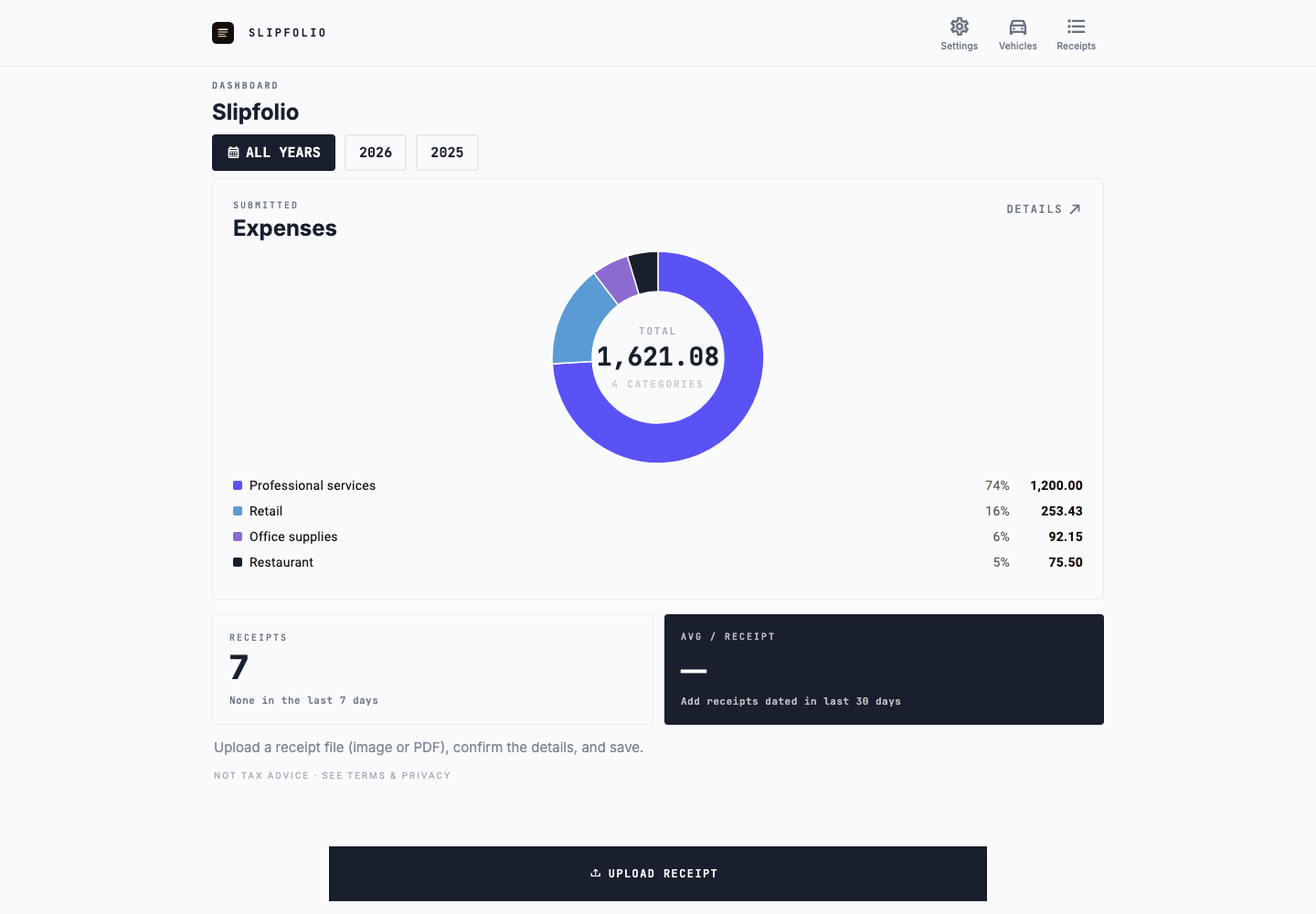
Slipfolio freelancer receipt dashboard showing expenses grouped by category and tax year
Synthetic demo data: see how recorded freelance expenses break down across categories and tax years.

Freelance receipt workflow

How should freelancers keep track of business receipts?

Use one repeatable process for purchases made across client projects, online subscriptions, travel, home-office work, and day-to-day supplies. Capturing the original and its context close to the transaction is more reliable than reconstructing the year from card statements at filing time.

Capture the source document

Save the original image, screenshot, or PDF from the merchant instead of relying only on the payment appearing in a bank account.

Record why the purchase was made

Review the merchant, date, amount, currency, category, and a client, project, or business-purpose note when that context may be useful later.

Separate business records

Keep freelance receipts in a dedicated workspace and assign the correct tax year rather than leaving them mixed with personal photos and email.

Check the collection regularly

Review missing files, incomplete fields, possible duplicates, and receipts that still need confirmation before the details become difficult to remember.

Prepare the year-end handoff

Export summaries, original receipts, readiness details, and mileage records for the year your accountant is reviewing.

Client and project context

Preserve the reason behind less obvious purchases.

A software renewal may support the whole freelance business, while parking, materials, or travel may relate to one client engagement. Keeping a concise purpose note with the receipt helps explain the record months later without trying to reconstruct the work from memory.

  • Note the client or project when useful.
  • Keep recurring subscription invoices together.
  • Connect travel receipts with mileage records.
  • Review mixed-use purchases with a qualified professional.

Common freelancer expenses

Organize the records people usually forget until filing time.

Software and subscriptions

Save invoices and renewal receipts for design tools, hosting, storage, accounting software, and business apps.

Travel and client work

Keep parking, transit, supplies, and client-site expenses under the same tax-year workflow.

Vehicle records

Track business trips and odometer readings alongside receipt records instead of maintaining a separate spreadsheet.

Accountant handoff

Export clean files when your accountant asks for records.

Slipfolio can create tax-year exports with spreadsheet summaries, PDF reports, original receipt files, mileage records, duplicate status, and readiness details. It is record organization, not tax advice or filing software.

  • Find receipts missing dates, amounts, categories, or files.
  • Separate manual records from AI-scanned receipts.
  • Export records for one tax year at a time.
  • Share organized files instead of loose photo folders.

Record quality

Keep the details that make a freelancer receipt record usable later.

Source file attached

Each saved receipt can keep the original image, screenshot, or PDF attached so the record is not just a typed amount with no backup file.

Review before export

AI extraction can speed up entry, but freelancer records still need review. Slipfolio keeps merchant, date, amount, and category fields visible before the record is used for handoff.

Mileage in context

For client visits or business trips, mileage records can sit beside receipt records in the same tax-year workflow instead of living in a separate file.

How freelancers use it

Use receipt records during the year, not only after tax season starts.

Slipfolio works best when receipts are captured close to the purchase date. A freelancer can add a software invoice, a parking receipt, a client-site supply purchase, or a PDF from email while the context is still clear. Later, the same records can be filtered by tax year and checked for missing details before the accountant handoff. This keeps the record useful even if the purchase happened months before filing season.

  • Keep business receipts out of personal photo folders.
  • Review AI-extracted fields before saving records.
  • Use readiness checks before export.
  • Keep mileage records in the same workspace.